Mac mini Cloud Rental
Remote Access & Setup
Step-by-step guide to VNC remote desktop, SSH terminal access, and Xcode macOS dev environment configuration for your Mac mini cloud rental — plus answers to common questions about Mac VMs vs. physical Mac mini rental.
Not sure whether to use a Mac virtual machine (mac vm) or a dedicated Mac mini cloud rental? Check out macOS rental plans — or see the FAQ comparison below.
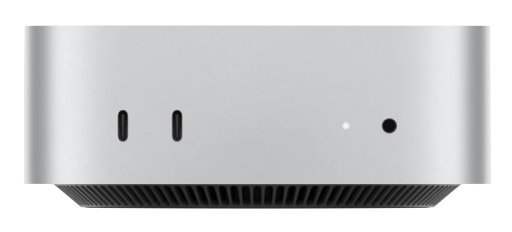
Mac VMs, macOS Cloud Rental, and VDI — What's the Difference?
Before choosing a Mac mini rental plan, understand the core differences between three common access models to find the best macOS cloud option for your dev workflow.
What is a Mac Virtual Machine?
A Mac VM (mac vm) runs macOS through software emulation on a host system. Tools like Parallels or UTM work for light tasks but have fundamental limitations: CPU/GPU must be shared with the host, Apple Silicon emulation support is limited, and mac VMs can't run the iOS Simulator at native speed or complete App Store notarization reliably.
For professional iOS/macOS dev teams, mac VMs generally can't reliably replace real hardware. To learn about physical Mac mini rental, visit the macOS cloud rental plans page.
What is macOS Cloud Remote Desktop?
macOS cloud remote desktop (also called VDI for Mac) is graphical remote access to a physical Mac mini rental server hosted in a data center. Unlike a mac VM, the underlying hardware is a real Apple Silicon Mac mini — users connect via VNC to a full macOS desktop, not software emulation.
MacZig Mac mini rental cloud remote desktop supports full-resolution control, two-way clipboard sync, and file transfer — just like working locally. See the FAQ below for setup details.
VDI for Mac — Enterprise macOS Cloud Rental
MacZig's VDI for Mac means each team member gets their own dedicated Mac mini cloud rental instance and private macOS remote desktop. Unlike a mac VM cluster — each member uses real physical hardware, not a shared virtualization pool. Enterprise teams use VDI for Mac for CI/CD, iOS testing, collaborative cloud development, and unified secure environment management.
See plan configurations and cloud node locations on the Mac mini macOS rental pricing page.
Mac mini Cloud Rental Operations FAQ
From remote connection to renewal management — complete operational guidance for Mac mini macOS cloud rental.